The office command center that never sleeps.
Tickets arrive from the one-call center around the clock and land in the portal already parsed, filed and - if you want - auto-assigned. Dispatch from any browser, review completed work, and run billing. The desktop apps just sync to it.
| Ticket | Town | Assigned | Status |
|---|---|---|---|
| 2026584839 | Burlington | J. Rivera | Dispatched |
| 2026584821 | Oakville | - | Processing |
| 2026584790 | Milton | K. Osei | Reviewed |
| 2026584776 | Burlington | J. Rivera | Overdue |
| 2026584755 | Hamilton | - | Ready |
Tickets file themselves before anyone logs in.
Locate packages arrive from the one-call center as XML and images. The portal ingests them automatically, parses the details, and posts them to the queue - built to swallow a 600–800/day load with morning surges without breaking a sweat.
Package arrives
XML + image files land via upload, named by year, ticket number and page.
Accepted instantly
Originals are saved untouched and the ticket is accepted right away - nobody waits on processing.
Parsed automatically
The system reads the incoming data, pulls out the searchable details, and files everything against the ticket.
Ready for review
The ticket appears in the queue with a status you can act on - retries are idempotent if anything hiccups.
Workflow states: Queued ▶ Processing ▶ Ready for Review ▶ Reviewed ▶ Sent · with an Error state and one-click retry.
Run the whole operation from a browser.
No install for the office. Everything the dispatchers, supervisors and billing staff need is a login away - on any machine, on any network.
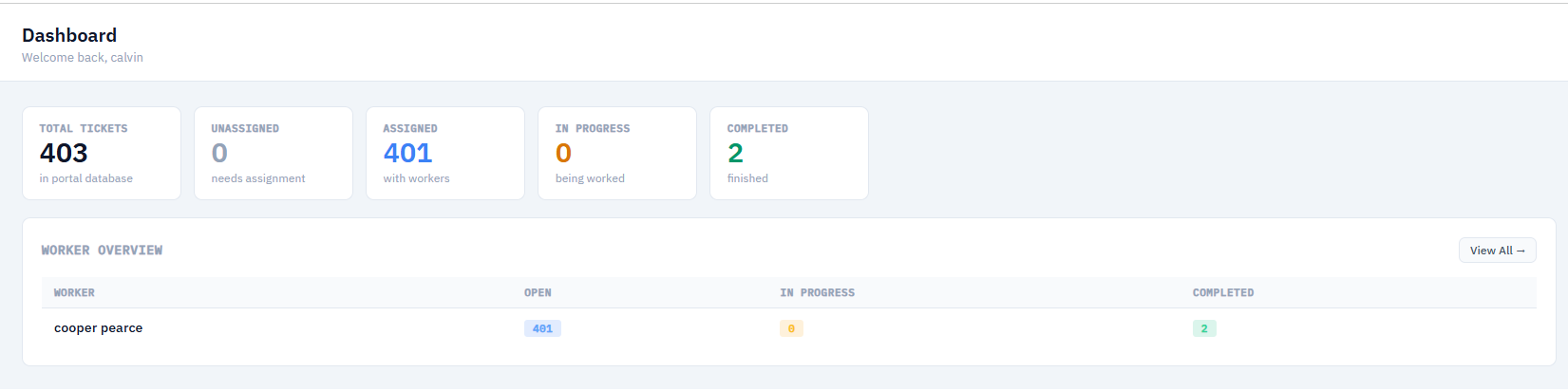
Dashboard & KPIs
Portal-wide counts, a per-worker activity table and recent work-log feed - so a supervisor sees the whole day at a glance.
Tickets, detail & map
Browse and search every ticket, open full detail with files and event history, or work the same jobs on an interactive map.
Uploads review
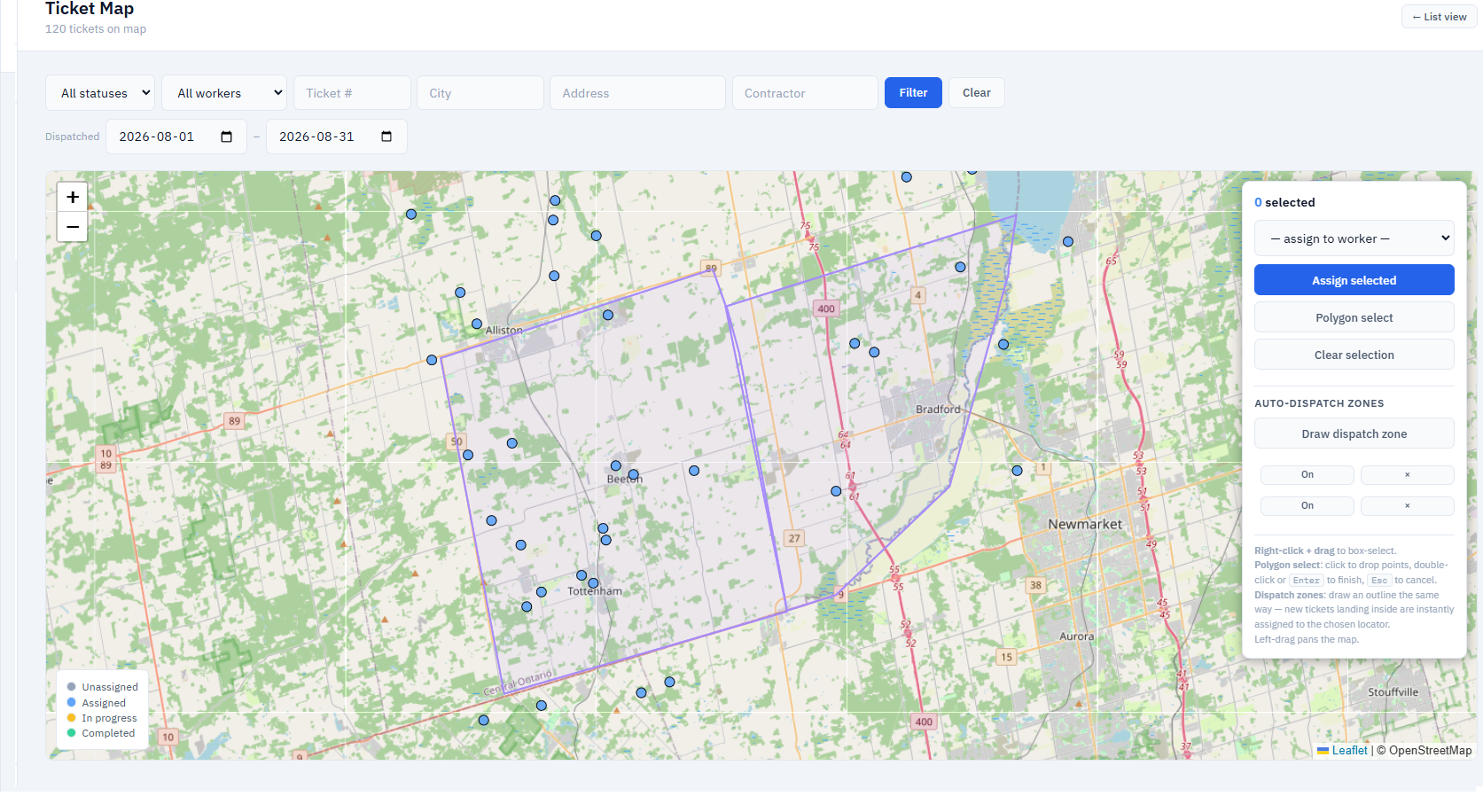
Field uploads flow in and queue for review - photos to look at, drawings to check, and a clear record of what each worker sent back.
Workers & metrics
A roster with individual profiles showing hours, kilometres and cost - the numbers billing and supervisors actually ask for.
Billing reports
Billing periods with editable hours and rates, per-worker breakdowns, and one-click CSV export for the accounting system.
Admin & setup
Manage users and permissions, configure utility companies and station codes, define regions, and set client access - all from the portal.
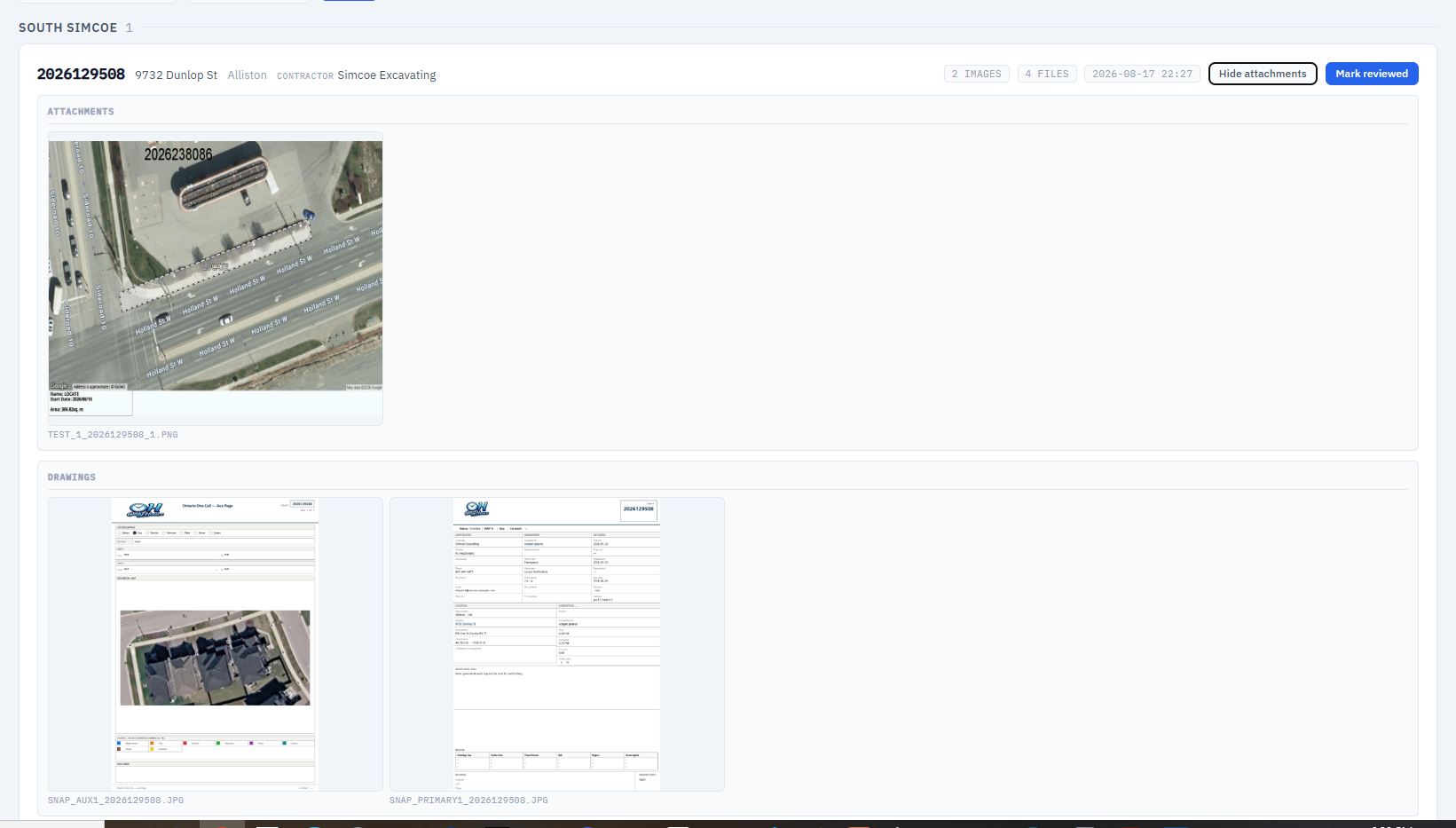
Route the work by hand - or draw a zone and let it route itself.
Assign any ticket to any worker from the queue or the map. Or draw dispatch zones once: every new ticket that lands inside a zone is auto-assigned to that zone's worker the moment it gets coordinates - and an email goes out to the contractor.
- Zone auto-assign fires on intake - and never steals a ticket a dispatcher already routed.
- Dispatch emails to the contractor go out as a background job - no one waits on the send.
- Business-day due dates are calculated for you, skipping weekends and holidays.
- Reassign, reopen or send back for redraw - the field app hears about it on next sync.
Everyone sees exactly what they should.
Five role defaults out of the box, each a starting point you can tune per person with granular permission grants. Workers see only their own tickets; the office sees the whole board.
| Role | What they get by default |
|---|---|
| Worker | View own tickets · log work & hours |
| Dispatcher | All of Worker · view all tickets · assign / unassign · force-complete · reopen · send back for redraw · global dashboard |
| Supervisor | All of Dispatcher · view workers · worker metrics (hours / km / cost) · worker summary |
| Billing | All of Supervisor · billing reports · CSV export · edit billing periods · recent work logs |
| Admin | Everything · manage users · import tickets · utility setup · client access · regions · auto-dispatch zones |
API tokens = identity
Each worker's bearer token is hashed and tied to their account, so the desktop app pulls exactly their tickets. Static service tokens cover machine-to-machine intake.
Cookie login for the office
The web portal uses a standard 8-hour session login - separate from the API tokens the field apps carry, so both worlds authenticate cleanly.
Multi-client access
Give a utility client a login scoped to their own station codes, so they can watch their own tickets without seeing anyone else's work.
The portal is the hub every app syncs to.
Field Ticket Manager pulls assignments and pushes finished work through the portal - so the office always has the latest, the field always has its jobs, and everything is backed up automatically without anyone thinking about it.
Assignments in
The desktop client requests its tickets and dispatch attachments over the API - token-scoped to the worker.
Work back out
Photos, form data and drawings upload to the portal and are filed against the ticket automatically.
Review & close
Staff review, bill, reopen or send back for redraw - and the field hears about it next sync.
Watch a ticket land, dispatch, and close.
Book a walkthrough and we'll follow one real ticket from intake, through auto-dispatch and the field, to review and billing - end to end in the portal.